
The agreement. The visit. The invoice.
See how one home-service job moves through narra. Actual product screens show what the office prepares, what the crew records and what the customer receives.
Private pilot · Invitation required
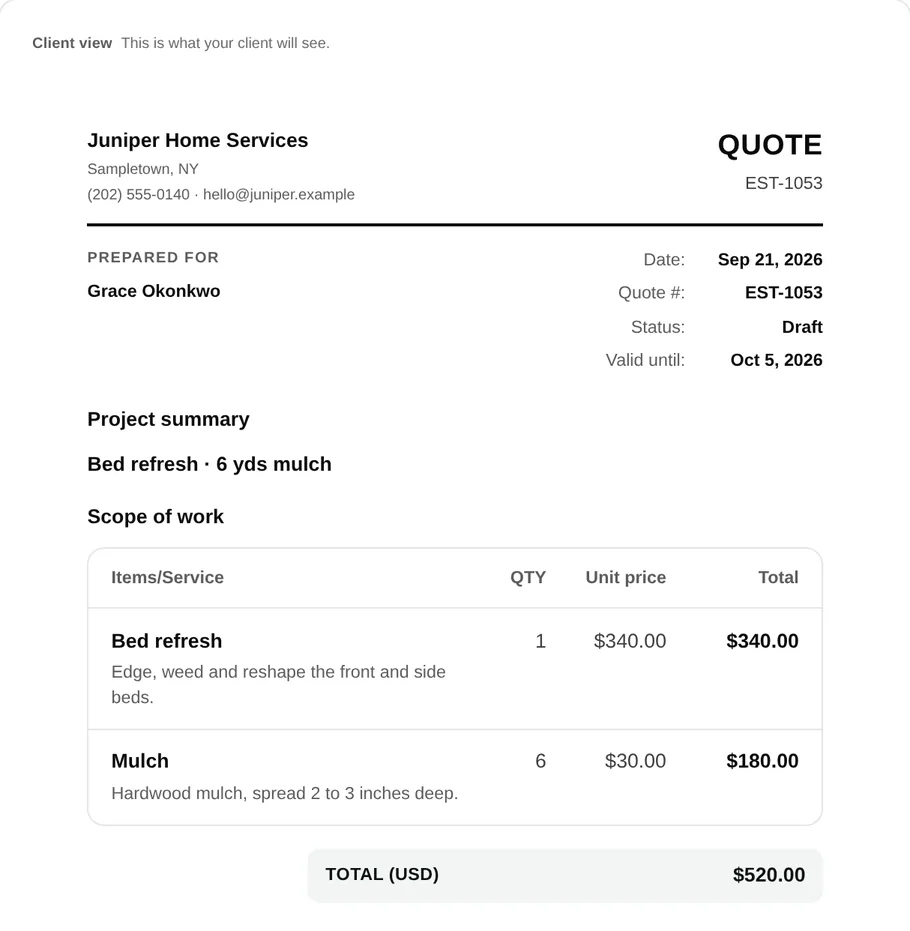
Follow one job through narra.
This walkthrough uses a fictional bed refresh. The images are actual narra demo screens, not customer results. The same agreement moves from the office to the crew and back to billing.
Watch the website’s animated walkthrough →Agree on the work.
In desktop, prepare a quote with services, quantities and descriptions. For a bed refresh, specify the amount of mulch and which areas need edging or weeding. Put exclusions in writing before asking for approval.
The customer opens a private link to review the quote. After approval, the office can convert the accepted work into a job.
Quotes and approvals →Give the crew the plan.
Schedule a visit on the job and assign the people going to the property. In Field, the crew opens that visit to find its instructions and checklist.
As the work progresses, the crew can record checklist completion, notes, photos and time. An extra customer request still needs an agreed scope and price; a note does not authorize an additional charge.
Scheduling and field details →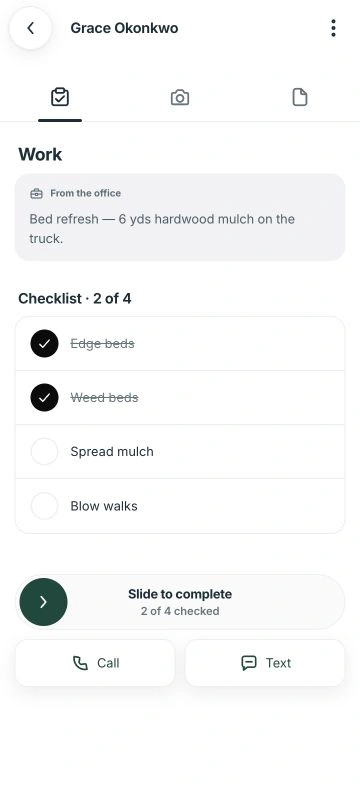
Review, invoice, then collect.
The office reviews the completed visit and prepares the invoice from the job record. Check the customer, line items and payment terms before sending it.
The customer can open the invoice through a private link and use the available payment options. Completing a visit and sending a bill do not themselves record payment.
The quote-to-invoice checklist →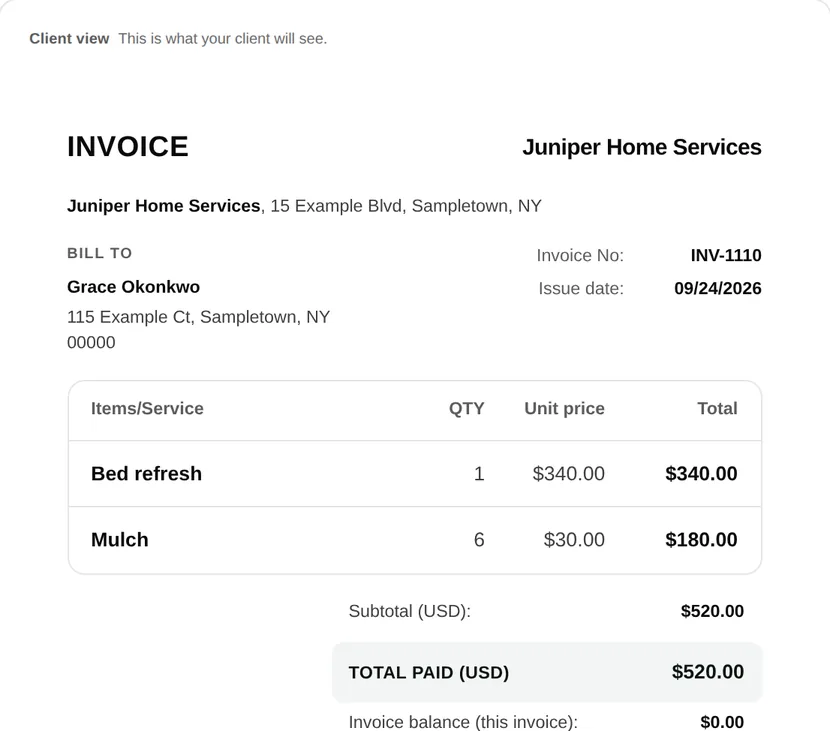
Three views, connected records.
What does the office use?
Desktop provides the customer records, quote and invoice editors, job details and schedule used to plan and review the work.
What does the crew use?
narra Field provides a phone-oriented view of assigned visits and their work details. Available actions depend on the team member’s permissions.
What does the customer use?
A private portal link gives the customer access to their shared quotes and invoices. Their view does not expose the office’s internal work records.