
Landscaping business software for every visit and job.
Keep the approved scope, the crew’s plan, and the work completed on the same record. narra helps landscaping teams manage recurring maintenance and one-time projects from quote to invoice.
Private pilot
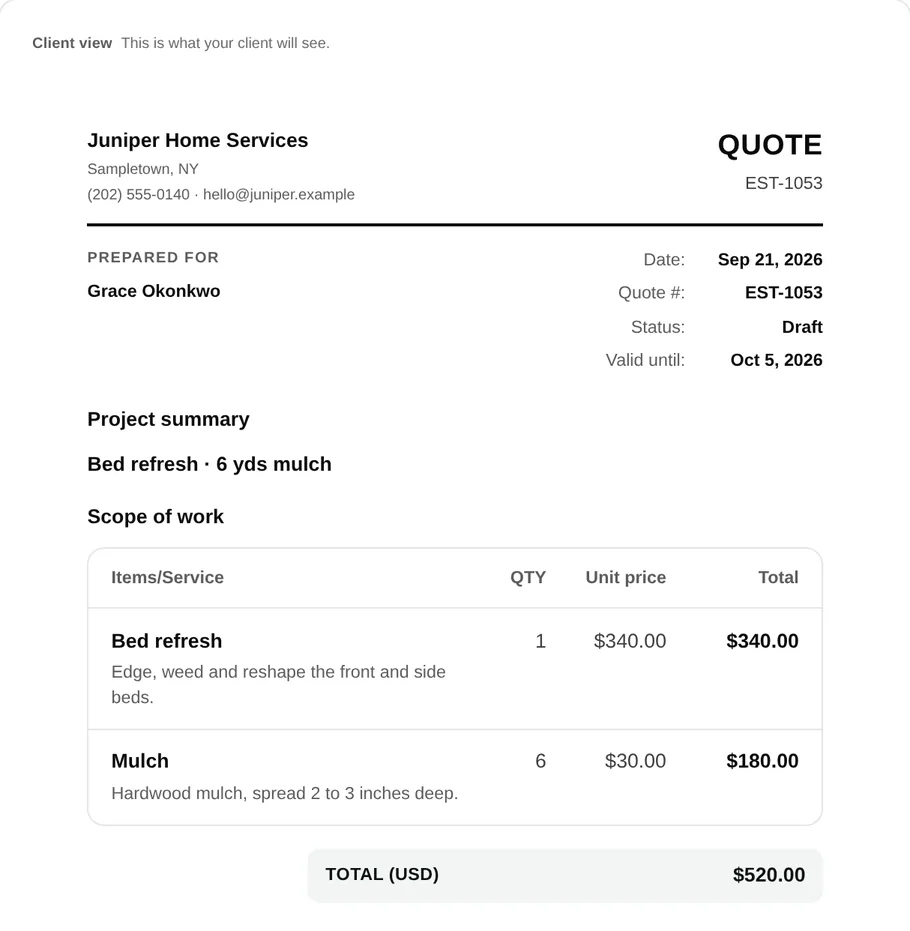
One record from the first estimate to the final visit.
A mulch installation and a weekly mowing route do not run the same way. Both need a clear agreement, a schedule the crew can use, and a record of what happened before the office sends a bill.
- 01
Quote the actual scope
Separate maintenance from first-visit cleanup, mulch, bed work, or other extras. Put quantities, assumptions, photos, and prices where the customer can review them. narra keeps their approval with the quote.
Explore quotes and approvals → - 02
Plan the work and assign the crew
Turn approved work into a job, schedule one-time or recurring visits, and assign the people going to the property. The address, job notes, and visit details stay together when the calendar changes.
Explore scheduling and jobs → - 03
Give the crew a usable visit
Field shows the assigned stop with its checklist and office instructions. Crew members can record notes, photos, and time as the work progresses, including through a temporary loss of connection.
- 04
Bill from the job record
Review the work completed and any approved change before preparing the invoice. The customer can open their invoice and payment options through a private link, while the office can trace charges back to the job.
The crew should see the job you sold.
For a bed refresh, “bring mulch” is not enough. The crew needs the amount, the areas to edge and weed, and a way to mark each task complete. narra puts the work list beside the visit instead of leaving it in an office message.
If a customer asks for more work on site, capture the request and agree on the new scope before it becomes a charge. That keeps the original approval and the final invoice understandable.
Follow the quote-to-invoice example →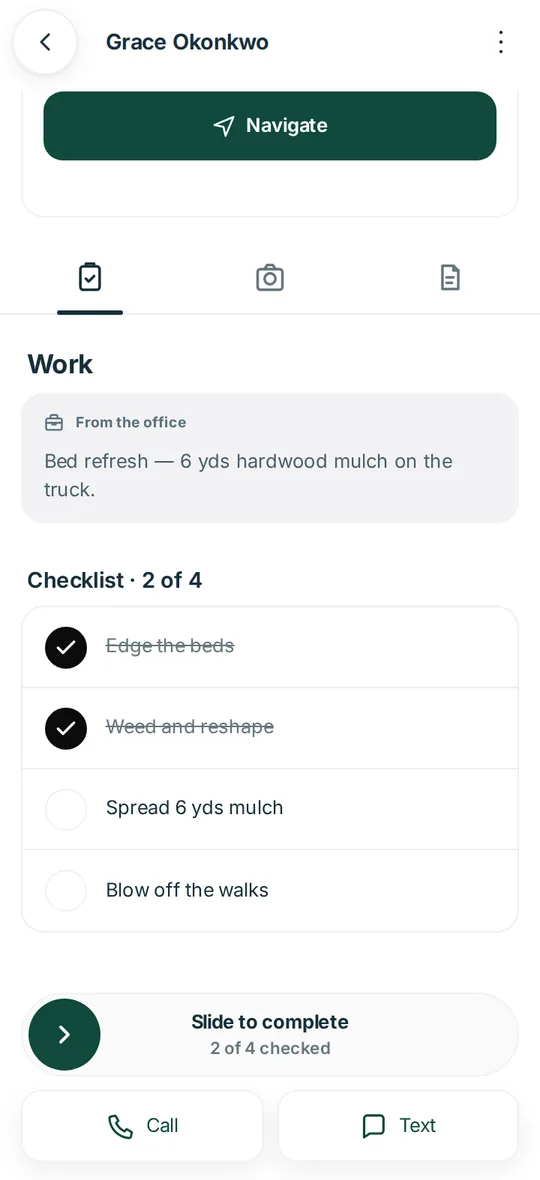
Recurring service and one-off projects can share a customer record.
Weekly lawn maintenance
Keep a repeatable visit schedule and the agreed mowing scope with the customer. When a property needs its first cleanup or a seasonal add-on, describe and price that work separately. Use the lawn pricing worksheet →
Mulch and bed refreshes
Use quote lines for labor and material quantities, then hand the accepted scope to the crew. Checklist progress, photos, and time give the office context before billing.
Weather and access changes
Move a visit when conditions change and keep the updated assignment visible to the team. Record blocked access or incomplete work so the next visit and the invoice reflect what actually happened.
Landscaping software, in practical terms.
Can narra handle recurring lawn care and one-time landscaping jobs?
Yes. A job can have scheduled visits, and the office can also manage a one-time project. Keep the service scope specific to each agreement so a weekly mow does not silently include a separate cleanup.
Can a customer approve a landscaping quote without an account?
Yes. narra sends a private quote link that the customer can review and approve without creating a login. The approved details can carry into the job.
What happens when a crew loses signal?
narra Field is designed to hold work through a temporary loss of connection and sync it when the connection returns. Crews should check the visit status after reconnecting before assuming every update has reached the office.
Can the office see what happened at each visit?
Yes. Visit checklists, notes, photos, and time stay with the job so the office can review completed work and exceptions before billing or scheduling the next visit.